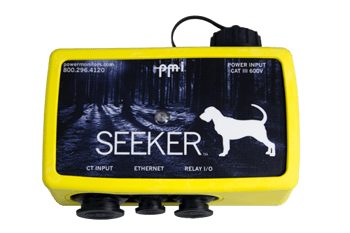
Get your Seeker streaming power quality data to the cloud in minutes. Find hookup diagrams, software, training resources, and everything you need to put this all-in-one recorder to work.
Need help? Support is available 24/7 at (800) 296-4120
Have a PQ question? Ask Merlin™—free.
Email or text us your toughest PQ questions and get answers backed by decades of PQ experience with Merlin™.
Browse the full PMI video library for product walkthroughs, power quality test demonstrations, and field setup tips that apply to the Seeker and the rest of the PMI product family.
Whether you're new to power quality or a seasoned engineer, PMI offers training to help you get the most out of your equipment and deepen your expertise.
The Seeker packs a PQ recorder, AC power supply, wireless communications (WiFi, Bluetooth, optional LTE cell modem, USB, Ethernet), and dual Form C relays into one weatherproof NEMA 4X enclosure. It replaces a stack of separate components for permanent monitoring with SCADA integration.
The Seeker supports WiFi and Bluetooth as standard, with optional LTE cell modem, Ethernet, and USB. Use PMI View on iOS or ProVision on Windows to configure the recorder and view live data.
Yes. The Seeker exposes a full DNP3 interface over WiFi, cell, or Ethernet, giving SCADA access to every PQ measurement plus the two Form C relays and two digital inputs. It also supports Modbus. Great for distributed generation control, recloser monitoring, and dual-purpose monitoring + control.
The Seeker uses super capacitor ride-through power, so it can keep sending notifications during short outages. There's no battery to replace, and the recorder powers back up automatically once line voltage returns.
The Seeker has 144 MB of onboard storage and streams continuously to PQ Canvass for unlimited cloud storage. Open the data in any browser, no downloads required, and let Merlin™ surface anomalies for you.
Yes. The Seeker offers optional GPS for high-resolution timestamping, useful for correlating events across multiple sites in a utility investigation. Standard time sync is handled via user-configurable SNTP over Ethernet or cell.