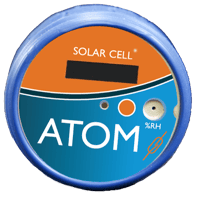

The Atom is a wireless environmental sensor measuring temperature (-20°C to 60°C), atmospheric pressure (500–1100 hPa), humidity (10–95% RH), and solar flux/light (100–100,000 lux). It also includes a magnetic reed switch for door closure detection and an accelerometer for drop and vibration events. Sensor data is read every minute.
The Atom is designed for a 10-year battery life — non-rechargeable and intended to last the lifetime of the device. No charging, no maintenance. Pair it once, place it, and let it run.
Either works. The Atom is not a stand-alone device — it pairs over BLE 5.0 with the Atom iOS App (iOS 16+) for setup and live readings, or with a Bolt, Seeker, Guardian, or Tensor recorder connected to PQ Canvass for unattended cloud uploads and alerts.
The Atom is IP68-rated — fully dust-tight and protected against extended submersion. That makes it suitable for outdoor enclosures, transformer cabinets, cold storage, greenhouses, server rooms, and other locations where moisture or dust would damage standard sensors.
Use a Tensor or Seeker as a hub to monitor many Atoms across a facility — one hub, many zones. This makes building-wide environmental coverage practical for things like cabinet monitoring, multi-room cold storage, or distributed equipment shelters.
The Atom stores up to 1 year of readings on board. If a hub goes offline or the Atom is out of range, no data is lost — the next time it pairs with a phone or recorder, stored data uploads to PQ Canvass.
Need more help? Our Technical Support Team is available 24/7. Call (800) 296-4120, visit the Support Center, or browse our full training catalog.