---
title: Bolt Power Quality Recorder — Setup Guide & Resources | PMI
description: Get your PMI Bolt power quality recorder set up in minutes. Hookup diagrams, PMI View, PQ Canvass access, and 24/7 technical support.
image: https://info.powermonitors.com/hubfs/Cell_Bolt_Angle_3-1.png
---
[ Power Monitors](https://powermonitors.com)
- [Home](https://powermonitors.com)
- [Products](https://powermonitors.com/products)
- Library
Videos
[All](https://powermonitors.com/videos/) [Bolt Quality Tests](https://powermonitors.com/videos/?video_search=&video_topic=bolt-quality-tests) [Promotional Videos](https://powermonitors.com/videos/?video_search=&video_topic=promotional-videos) [Support Videos](https://powermonitors.com/videos/?video_search=&video_topic=support) [Power Quality Decoded](https://powermonitors.com/videos/?video_search=&video_topic=white-paper-walkthroughs)
White Papers
[All](https://powermonitors.com/whitepapers/) [Artificial Intelligence](https://powermonitors.com/whitepapers/?whitepaper_search=Merlin&whitepaper_topic=) [Case Studies](https://powermonitors.com/whitepapers/?whitepaper_topic=case-studies) Communications [Distributed Generation](https://powermonitors.com/whitepapers/?whitepaper_topic=distributed-generation) Products [Harmonics](https://powermonitors.com/whitepapers/?whitepaper_topic=harmonics) [IEEE Standards](https://powermonitors.com/whitepapers/?whitepaper_topic=ieee-standards) Power Quality Voltage
- Training
[All](https://info.powermonitors.com/training) [PDH Eligible Classes](https://powermonitors.com/product-category/classes/) [On-Site Training](https://powermonitors.com/on-site-training/) [Online Webinars](https://info.powermonitors.com/no-cost-class-schedule)
- [Support](https://powermonitors.com/support/)
- Our Company
[About Us](https://powermonitors.com/about-pmi/) [Contact](https://powermonitors.com/contact/) [Join Our Team!](https://info.powermonitors.com/join-pmi) [Receive our Newsletter](https://info.powermonitors.com/email-subscribe-page) [PQ Resources](https://info.powermonitors.com/power-quality-resources) [Power Quality Solutions](https://powermonitors.com/power-quality-solutions/) [Who We Serve](https://powermonitors.com/sales-representatives/)
- [Account](https://powermonitors.com/account/)
- [Cart](https://powermonitors.com/cart/)
Getting Started
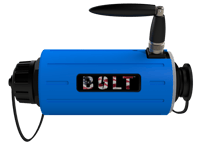
# Bolt Setup Guide & Resources
Get your Bolt up and running in minutes. Find hookup diagrams, software downloads, training resources, and everything you need to start capturing power quality data.
Need help? Support is available 24/7 at (800) 296-4120

Have a PQ question? Ask Merlin™—free.
Email or text us your toughest PQ questions and get answers backed by decades of PQ experience with Merlin™.
Standard messaging/data rates may apply.
[Email Merlin™](mailto:askmerlin@powermonitors.com?subject=PQ%20Question%20for%20Merlin) [Text Merlin™](sms:+15403833144)
Quick Start — 4 Steps to First Recording
[Quick Start Guide](https://info.powermonitors.com/hubfs/bolt%20quickstart%20card.pdf)
### [1 Install & hook up Mount Bolt, connect Flex CTs and voltage leads](https://powermonitors.com/download/bolt-hookup-diagram/?tmstv=1742215199)
### [2 Verify LEDs Green = good. Orange or purple = recheck connections](https://info.powermonitors.com/hubfs/bolt%20quickstart%20card.pdf)
### [3 Connect via PMI View Enable Bluetooth, discover your Bolt, update firmware](https://info.powermonitors.com/pmi-view-free-pmi-software)
### [4 Upload to PQ Canvass Download data, upload to share with your team](https://pqcanvass.powermonitors.com/)
## Documentation & Specs
3 resources
### [User Manual Installation, operation, accessories, specs, and troubleshooting Most downloaded Download PDF](https://powermonitors.com/download/bolt-user-manual/?tmstv=1714494950)
### [Spec Sheet Voltage range, operating temp, dimensions, and connectivity at a glance Download PDF](https://powermonitors.com/download/bolt-spec-sheet/?tmstv=1714510036)
### [Hookup Diagrams WYE, Delta, Open Delta, single-phase, and other circuit configurations Download PDF](https://powermonitors.com/download/bolt-hookup-diagram/?tmstv=1742215199)
## Watch: Bolt Setup & Quality Tests
See the Bolt unboxed, installed, and connected step by step. Perfect for field technicians who want to see the process before heading on site.
[View All Bolt Videos](https://www.youtube.com/playlist?list=PLTnWQpgJCqd41aUz4BVzcjla8CZoO-m_K)
## Software & Platforms
3 products
### [ Merlin™ — AI-Powered PQ Analysis in PQ Canvass Turn 5 hours of manual analysis into 15 minutes. Get severity-ranked findings on the AI Dashboard, investigate issues with Merlin™ Chat, and generate customer letters and reports with the Document Writer. Get Started](https://info.powermonitors.com/merlin-intro)
### [PQ Canvass Cloud platform for power quality data analysis. Integrates with Merlin™ for AI-powered insights. Learn More](https://info.powermonitors.com/pq-canvass-intro)
### [PMI View Field app for iOS, Android, and Windows — live monitoring, recorder setup, and data transfer Learn More](https://info.powermonitors.com/pmi-view-free-pmi-software)
### [Provision Advanced data analysis and reporting software Learn More](https://powermonitors.com/product/provision/)
## Training & Education
Recommended
Whether you're new to power quality or a seasoned engineer, PMI offers training to help you get the most out of your equipment and deepen your expertise.
### [On-Site Training Free · Customized Free training at your location — covers PQ investigations, product usage, and best practices. Request Training](https://info.powermonitors.com/on-site-training-general-interest)
### [Live Webinars Free · Online Free online classes covering power quality topics and how-tos for PMI tools. New sessions added regularly. See Schedule](https://info.powermonitors.com/no-cost-class-schedule)
### [PQ Essentials Course 7 Sessions · PDH Eligible Seven 60-minute weekly webinars for engineers and technicians. Eligible for 7 PDH credits and 0.7 CEUs. Enroll Now](https://info.powermonitors.com/seven-sessions-class)
### [White Paper Library 400+ Papers In-depth research on power quality, harmonics, voltage regulation, waveform analysis, and more. Browse Library](https://powermonitors.com/whitepapers/)
## Frequently Asked Questions
What do the Bolt LED colors mean after installation?
Green = initialized correctly. Orange = measurements don't match initial parameters, recheck connections. Purple = CTs inverted or on wrong phase. See the [Quick Start Guide](https://info.powermonitors.com/hubfs/bolt%20quickstart%20card.pdf) for the full LED reference.
How do I connect to my Bolt via Bluetooth?
Install [PMI View](https://info.powermonitors.com/pmi-view-free-pmi-software) and enable Bluetooth (BLE). Open the app, let it discover Bolts in range, select yours, and update firmware if prompted.
What version of ProVision do I need for the Bolt?
ProVision version 1.91 or later. [Download the latest version here.](https://powermonitors.com/product/provision/) Older versions may not recognize the Bolt.
Does the Cell Bolt need a separate data plan?
The Cell Bolt includes an internal SIM (PMI-supplied or customer-supplied) supporting LTE CAT 1 bis on Verizon bands 4 and 13. Contact PMI support for connectivity plan details.
What CTs does the Bolt use for current measurement?
The Bolt uses Bolt-specific Flex CTs (not the standard box-recorder style). It ships with a 3-channel 9" Bolt Flex CT and is also compatible with PMI's TLAR-S clamp-style current transformers. Standard Flex CTs and TLARs from other PMI recorders are not interchangeable. See the [spec sheet](https://powermonitors.com/download/bolt-spec-sheet/?tmstv=1714510036) for full measurement specs.
**Need more help?** Our Technical Support Team is available 24/7. Call [(800) 296-4120](tel:800-296-4120), visit the [Support Center](https://powermonitors.com/support/), or browse our [full training catalog](https://info.powermonitors.com/training).
[](https://powermonitors.com)
Power Monitors, Inc. is an industry-leading product design and manufacturing firm based in Mt. Crawford, Virginia. PMI® strives to solve power quality problems by listening to our customers and working with them to design and manufacture products. Total customer satisfaction is the primary goal of all PMI® staff.
[24/7 Tech Support **800.296.4120**](tel:18002964120)
#### Resources
- [White Papers](https://powermonitors.com/whitepapers/)
- [Videos](https://powermonitors.com/videos/)
- [Training](https://info.powermonitors.com/training)
- [Live Webinars](https://info.powermonitors.com/no-cost-class-schedule)
- [PQ Resources](https://info.powermonitors.com/power-quality-resources)
- [Support](https://powermonitors.com/support/)
#### Company
- [About Us](https://powermonitors.com/about-pmi/)
- [Contact](https://powermonitors.com/contact/)
- [Careers](https://info.powermonitors.com/join-pmi)
- [Newsletter](https://info.powermonitors.com/email-subscribe-page)
- [Terms & Conditions](https://powermonitors.com/terms-and-conditions/)
800 N Main St, Mt Crawford, VA 22841 | Toll Free [800.296.4120](tel:18002964120) | Fax 540.432.9430
© 2026 Power Monitors, Inc.